NoiseMark

NoiseMark

Measure it. Mark it.
Keep the record.

Anyone can tell you how loud it is right now. NoiseMark is built for the part that actually costs you time — writing up what happened, when, where and how loud. It starts measuring the moment you open it, keeps nothing until you say so, and assembles the record around what you keep.
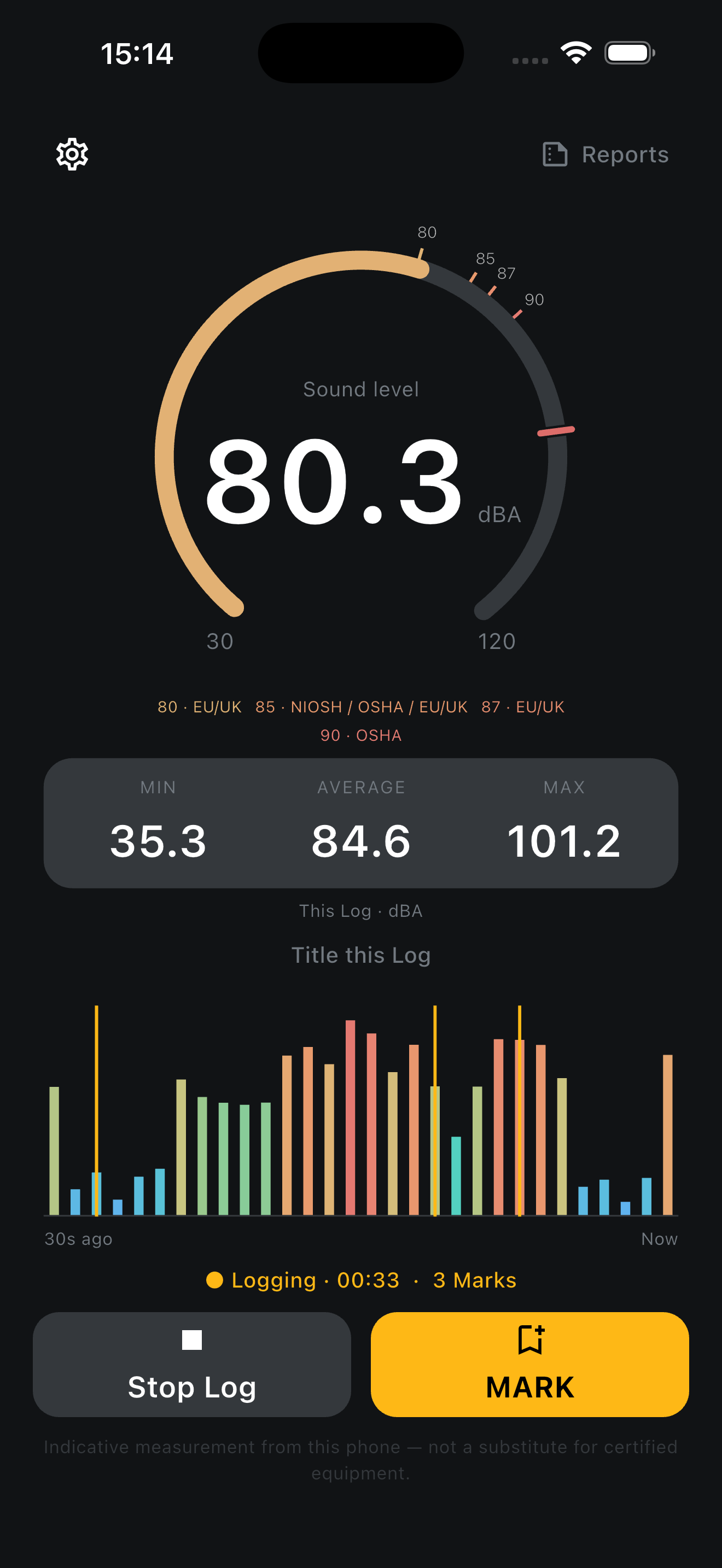
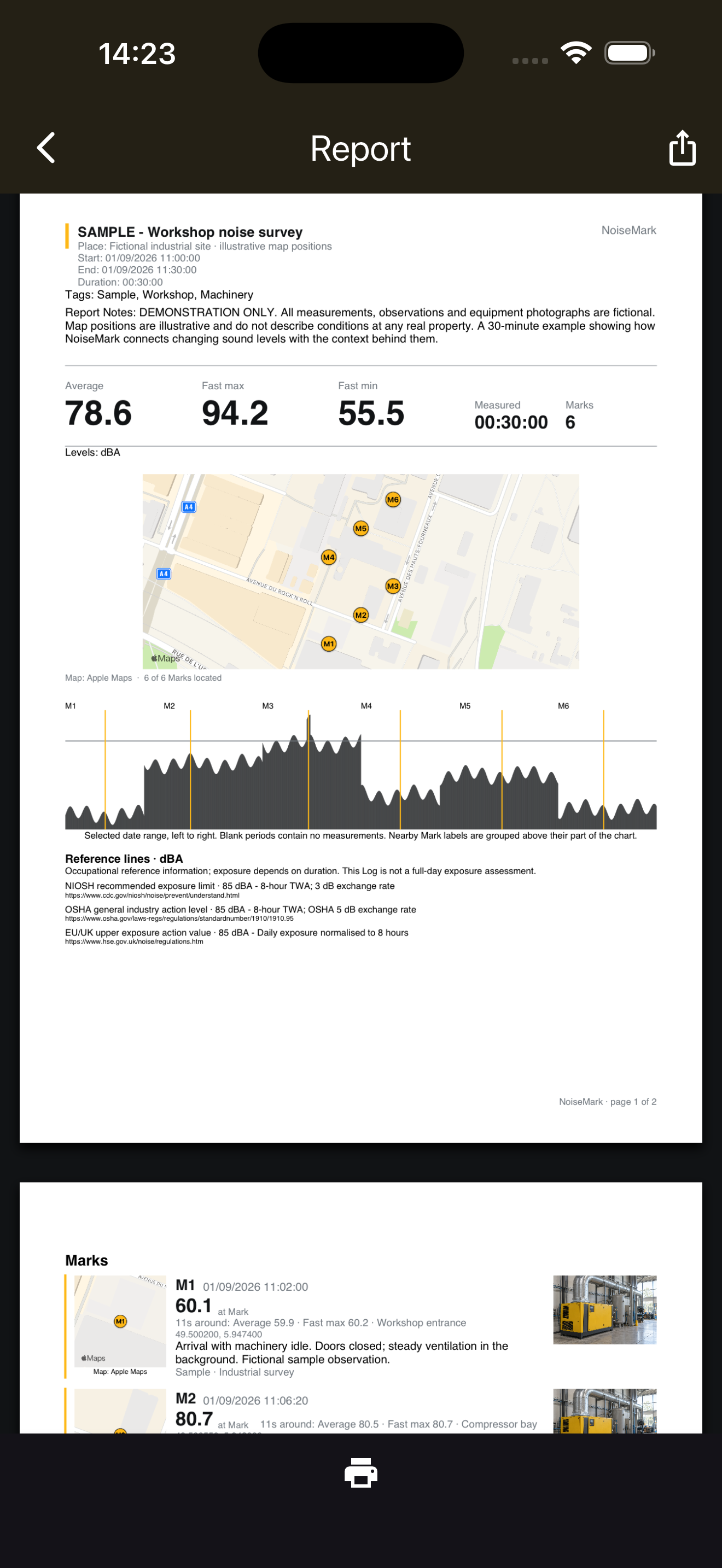
NoiseMark live meter logging at 80.3 dBA with a Mark button NoiseMark PDF report with levels, a map of Marks and a timeline

A sound level is not evidence. A record is.

Every phone can already tell you a number. The free meters do it, the watch on your wrist does it, and none of it survives contact with the question that follows: can you show me?

What costs a professional their afternoon is not the measurement. It is the write-up. It is remembering which unit was running, finding the photograph, working out what time the complaint actually started, and assembling it into something you can send to a client, a contractor or an environmental health officer. The measurement takes a second. The documentation takes an hour.

NoiseMark inverts that. The meter runs from the instant you open the app, so there is never a start button between you and a reading. When something matters you press one control — Log to keep a whole period, Mark to keep a moment — and the administrative work happens without you: the timestamp, the location and its accuracy, the device and its settings, and the statistics for the window around the event. If you want to add a photograph or a spoken note, you can, without interrupting the measurement.

The design owes more to a stopwatch than to a sound level meter. It is always ready to time something; Start and Stop make an interval; Lap marks a moment inside it. Nothing is kept that you did not ask for.

Built around one question: can you prove what happened?

Measuring is automatic

Open the app and it is already measuring — A-weighted, Fast, with running LAeq, maximum and minimum. There is no start button, because waiting for one is how you miss the thing you came to measure.

Saving is deliberate

The live meter is a rolling thirty seconds held in memory and nothing else. If you never Log and never Mark, the app leaves no history behind at all. Your phone does not quietly accumulate a record of every room you walked through.

Log keeps a period

Start Log preserves the continuous second-by-second series from the instant you tap. Leave the phone on a desk for forty-five minutes and you get the whole period, with whole-period statistics, and zero Marks required.

Mark keeps a moment

One tap fixes the moment that mattered. Taken on its own, a Mark also keeps the thirty seconds either side, so the event has context rather than a single orphaned number.

The paperwork fills itself in

Time, coordinates, location accuracy, device, input route and calibration offset attach themselves. Add a photograph or speak a note without interrupting the measurement. Speech is transcribed on the device and the audio is discarded.

Reports that survive scrutiny

A PDF for the recipient and a CSV at full one-second resolution for anyone who wants to check your working. Where measurement was interrupted or the app was backgrounded, the report says so. A period ends at the last second actually measured, not at the moment you got round to stopping it.

Reads in dBA out of the box

A validated baseline for supported iPhones, so there is no setup step and no separate meter required. Own a reference meter and you can set your own offset instead. It stays an indicative phone measurement: NoiseMark states levels, it does not assess risk, and it never claims to be certified, compliant or a substitute for calibrated instrumentation where regulations require it.

Privacy first

Audio is never recorded or stored — sound becomes a number and the sound itself is discarded. No account is needed for the meter or NoiseMark Pro. If you choose Cloud, you sign in so your records survive a replaced phone, and your account is used for nothing else: no advertising, no profiling, no data selling. Analytics and crash reporting can be switched off in Settings whenever you like, and never contain anything you measured. Delete your data, or your whole account, whenever you want. Pay once; there is no subscription.

From the moment to the report.

Live meter logging, with minimum, average and maximum Mark a moment and add a photo, place and note A detailed PDF report with levels, map and photographs Every second of a Log, with range warnings shown Explore a sample report before you buy Every Log kept and findable Search every Log you kept Export, delete and privacy controls